Concept design
Osprey
Banking / Trading App
rotatoFlintoFigmamiro

The challenge was to design an app that provides a bank account and a financial trading platform for customers who don’t have much experience in the trading world.


Competitors
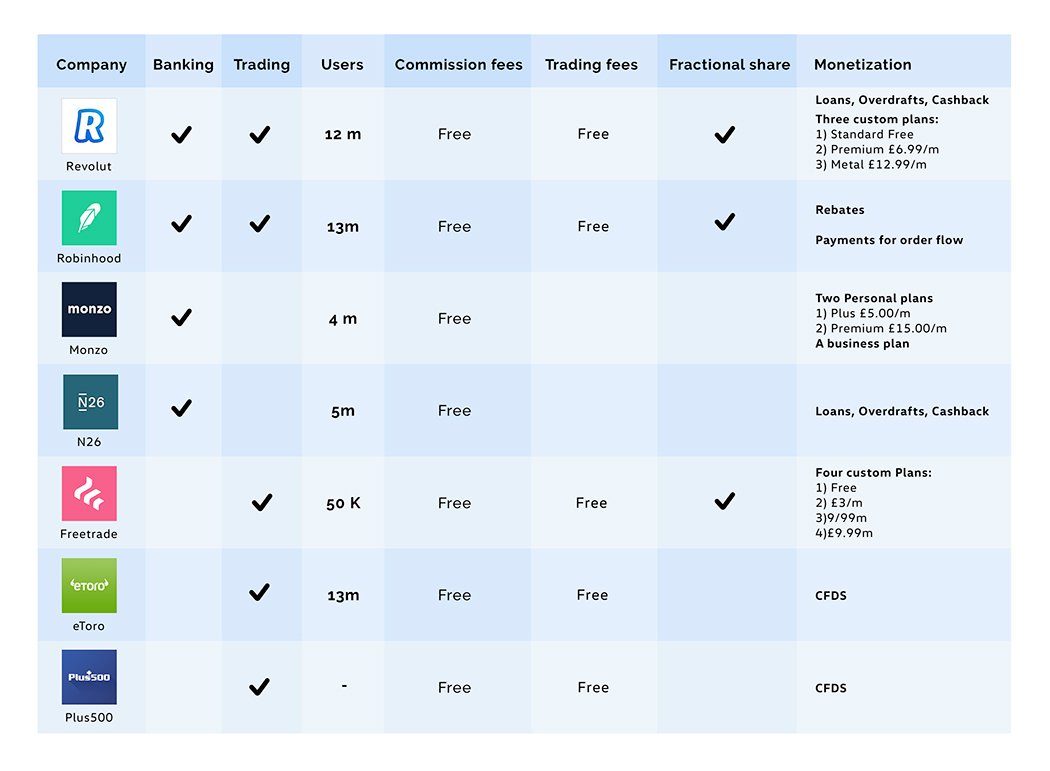
The main competitors that provide a similar service (but not all combine both functionalities) are: Revolut, Robinhood, Monzo, N26, Freetrade, Etoro, and Plus500.

These banking competitors offer free online transactions and make a profit through the different subscription plans, ATM withdrawals, loans and overdrafts.

The trading competitors apply different fees for online trading with the possibility to upgrade customer plans based on monthly activities.
Some competitors offer free trading but they don't allow the user to buy fractional shares, and instead the customer is restricted by minimum quantities, CFDs and rebates.
miro
User Flow
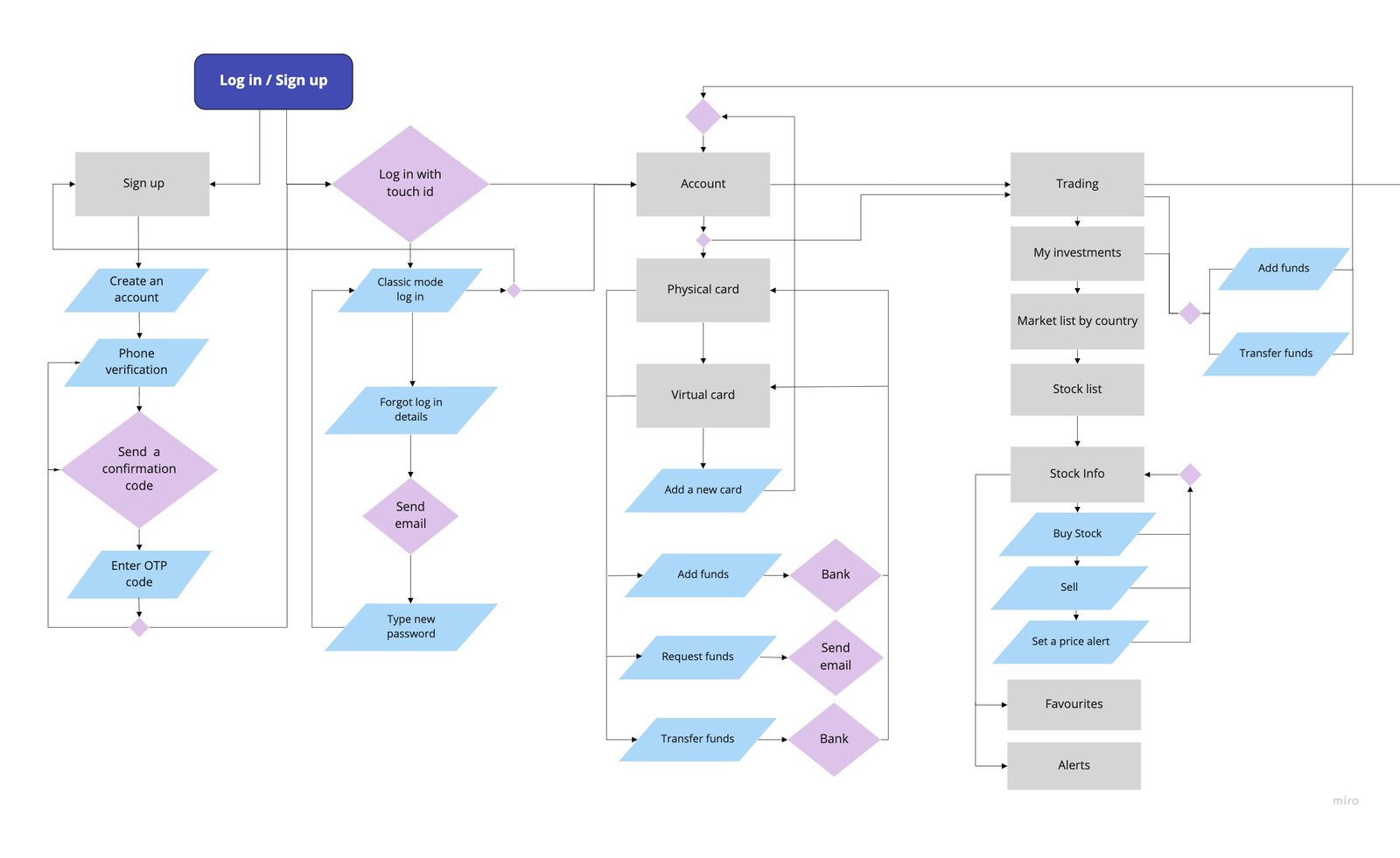
The biggest challenge was conducting in-depth research on how the financial trading world works, understanding the different trading options in order to categorize the trading options (e.g. stock markets, indices, forex, commodity, crypto, and options), understanding different trading options available in each country, different price chart visualisations, various buy and sell options and to translate all of this into a simple user experience flow and into a minimal user interface.

miro
UX Wireframe

Account Section

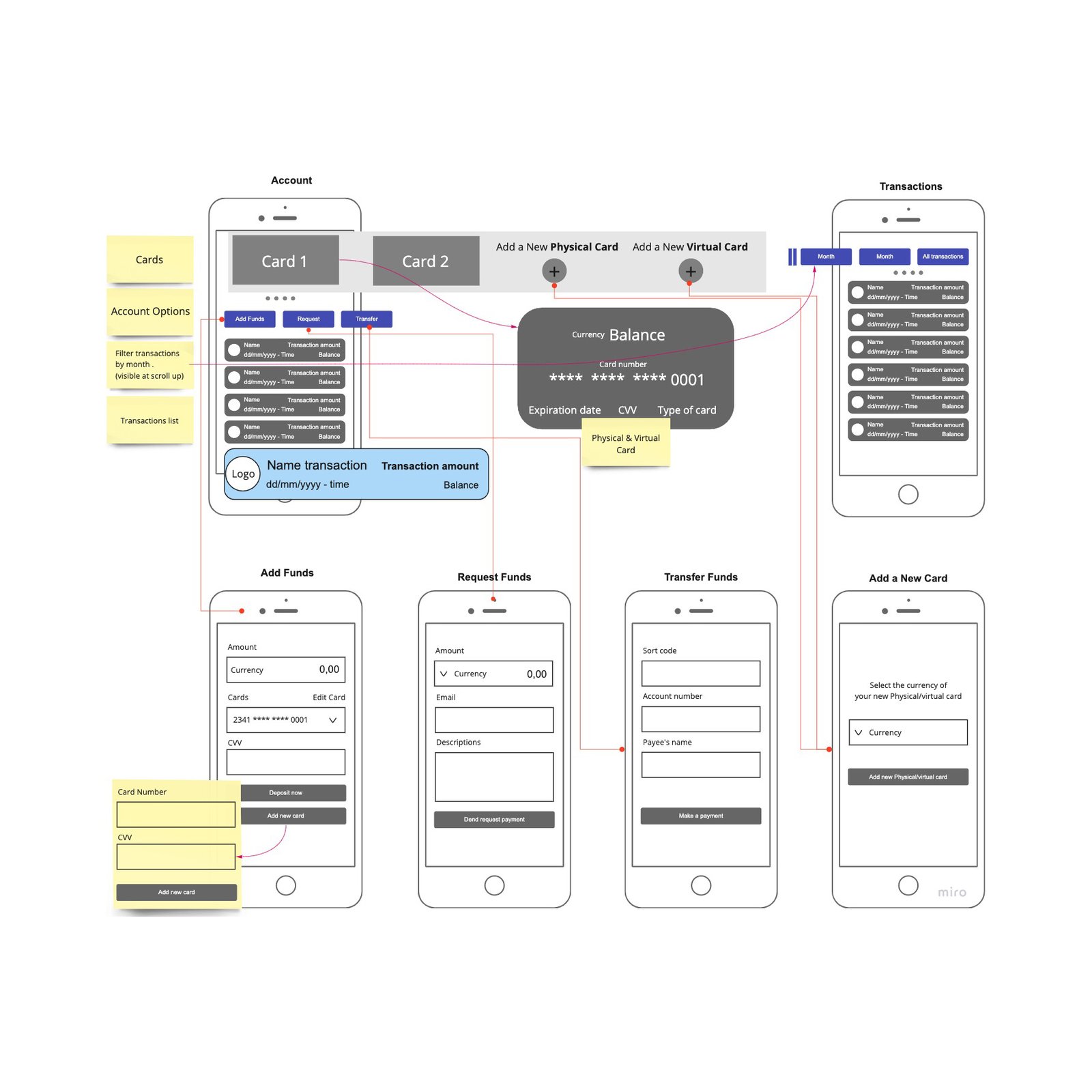
The account section wireframe was designed to provide the following services:
  • Create a physical or virtual account
  • Show the account balance and transactions history
  • Add funds from a different account
  • Send a money request
  • Transfer money
On the transactions list, each transaction can be expanded to provide the following further information:
  • Company logo
  • Transaction name
  • Transaction amount
  • Transaction date and time
  • Available balance
miro
UI Prototype

Account Section

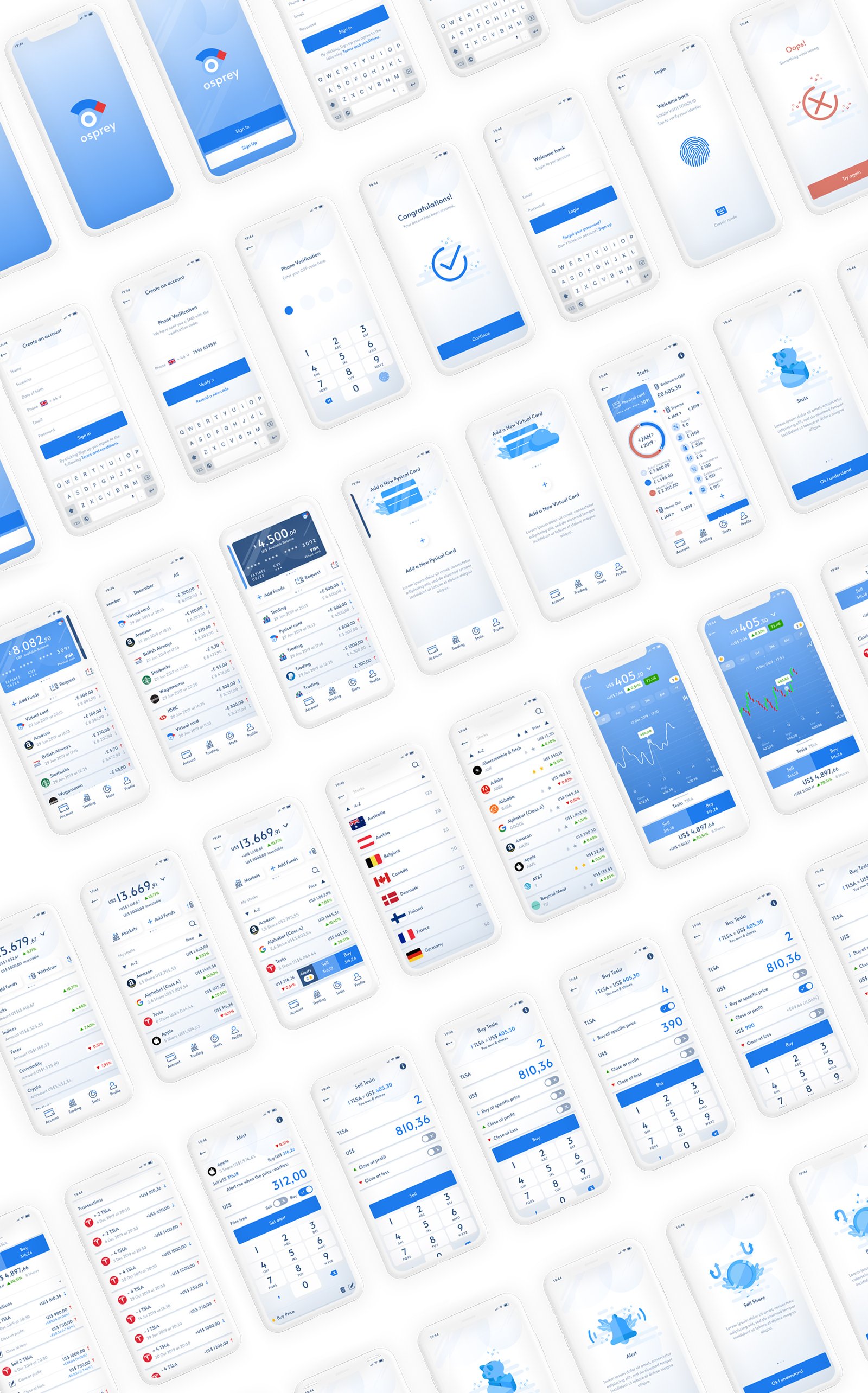
The UI was designed with Figma and prototyped with Flinto and shows how simply the UX structure allows the user to navigate between the physical and virtual cards. There are also two other sections where the user can generate more physical or virtual cards.

A menu at the bottom of each card allows the user to manage payments, request money, and transfer money.

By scrolling up it is possible to visualize a list of the transaction history and a sticky menu with months and years is automatically added at the top to enable filtering by month or year.
FigmaFlintorotato
UX Wireframe

Trading Section

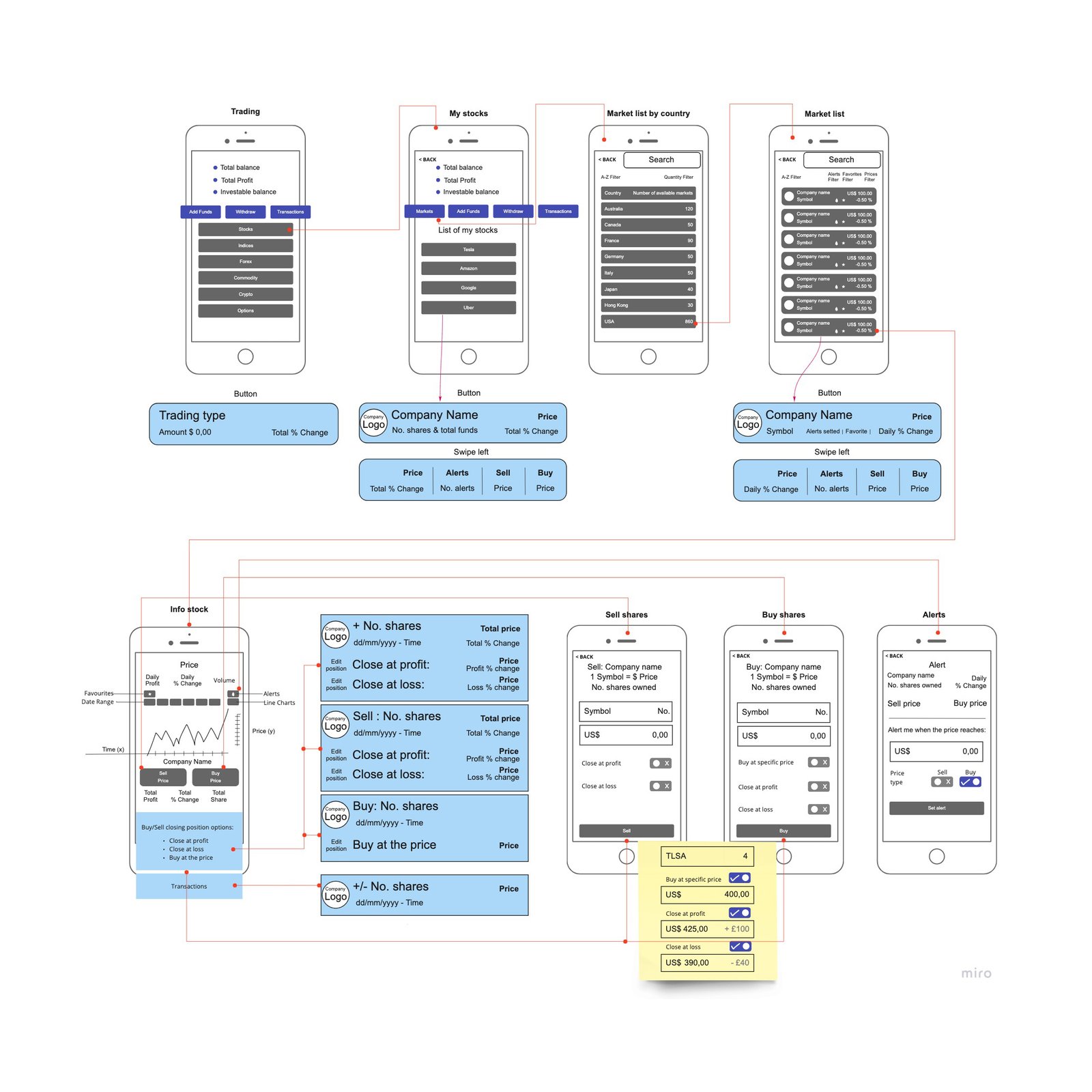
The Trading section wireframe was designed to provide the following services:
  • Total investments
  • Widget to filter buy Stocks, Indices, Forex, Commodity, Crypto and Options
  • Portfolio
  • Filter by country
  • Market list
  • Market info
  • Buy and sell
  • Transaction history
miro
UI Prototype

Trading Section

The trading section was designed to offer the trader the best User Experience in terms of showcasing their personal portfolio, all the available markets divided by country, and all assets related to the companies. On the individual company screen, there is detailed information including charts and statistics about the historical value of the company, as well as buy and sell options. On scrolling down, a history of the user’s open and closed transactions for that particular company is provided.
FigmaFlintorotato
UI Prototype

Buy and Sell Stocks

The challenge on this section was to simplify the steps of how to buy and sell stock, with a clear UI through three action buttons that allow the user to automatically set when to buy and sell stock at a specific price.
FigmaFlintorotato
UI Kit
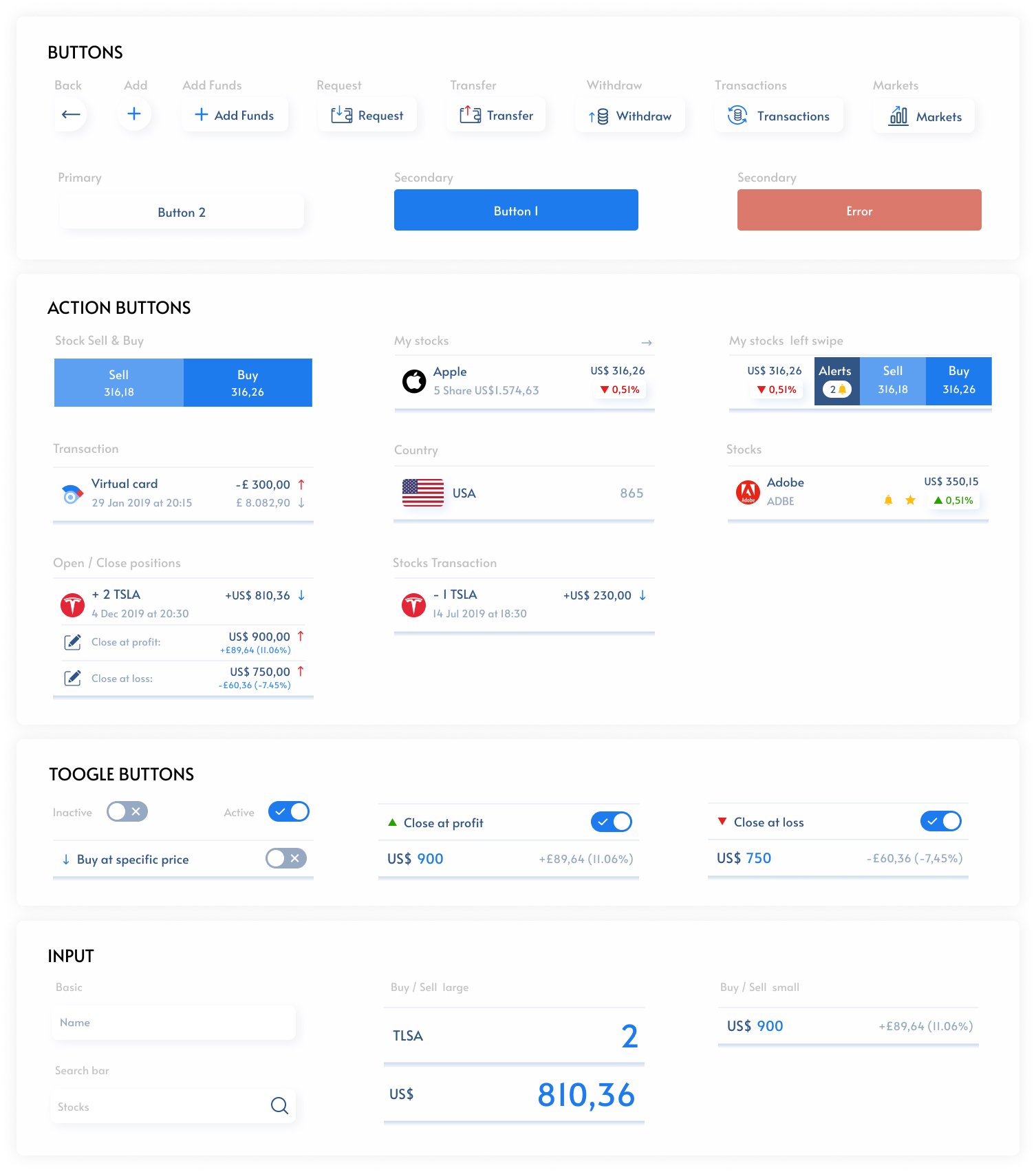
The UI component kit was designed to keep the design coherent and easy to integrate, a minimal style and subtle shades are the main characteristics to invoke a sense of calm and control. White and azure are the predominant colours and three variations of blue are used for the action buttons to emphasise trustability and professionalism.
Figma