Smartsheet
One-time import2025
Lowering the barriers to entry and ensuring fast and simple imports are available
.
Why import matters
Importing data isn’t a premium feature and doesn’t generate direct revenue, but it’s a high-value action for new trial users.

New teams often arrive with existing data they want to import immediately. If the process is slow or confusing, users may fail to see value and abandon the platform.
40K
Total weekly imports
Across all users
3K
Total weekly imports
By trial users
Problem overview
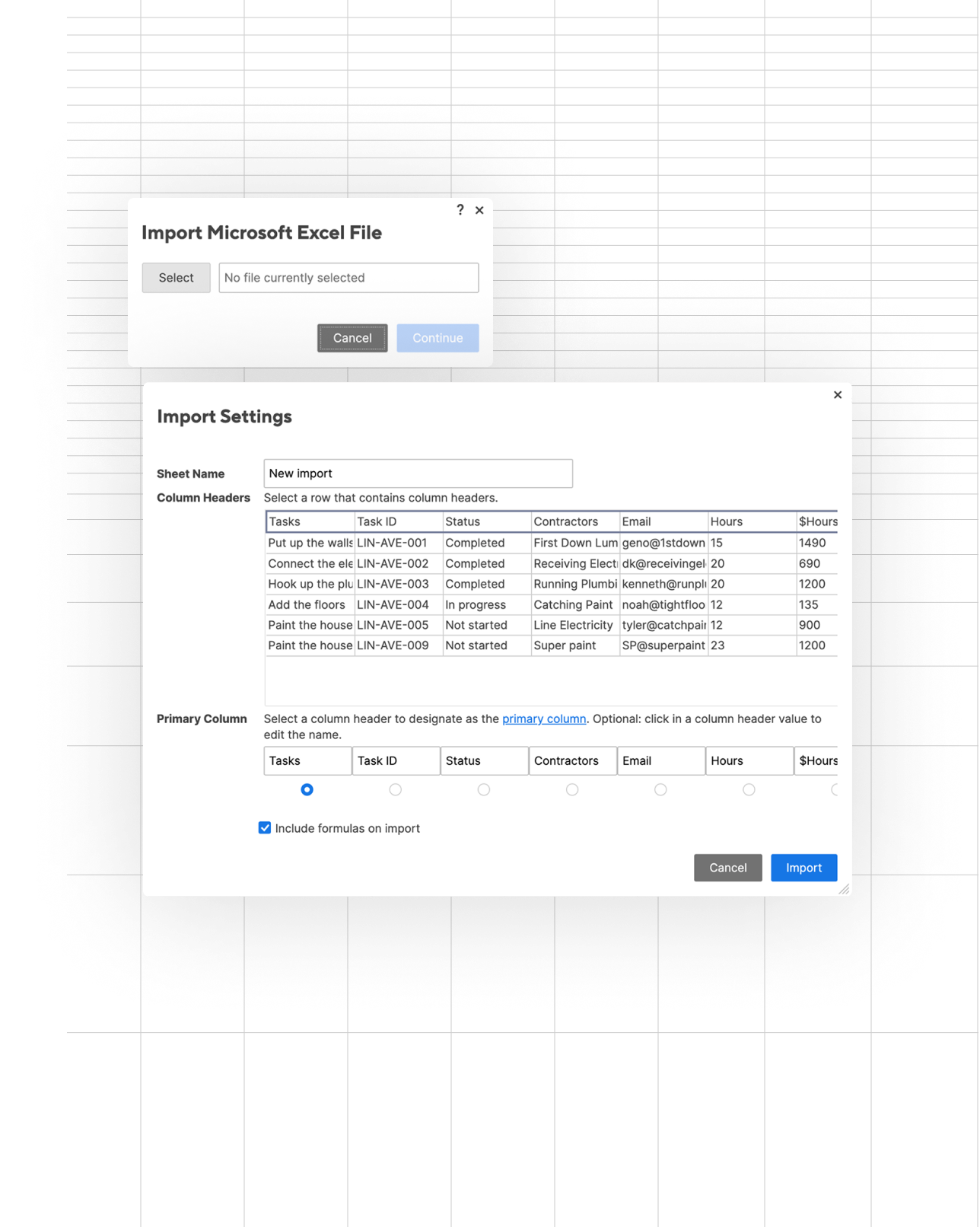
With Smartsheet’s new table view UI and workspace model, the existing features had to be released incrementally. The old legacy import modal was temporarily placed in the new view to maintain access, but this caused a mismatch between the UI and user expectations.

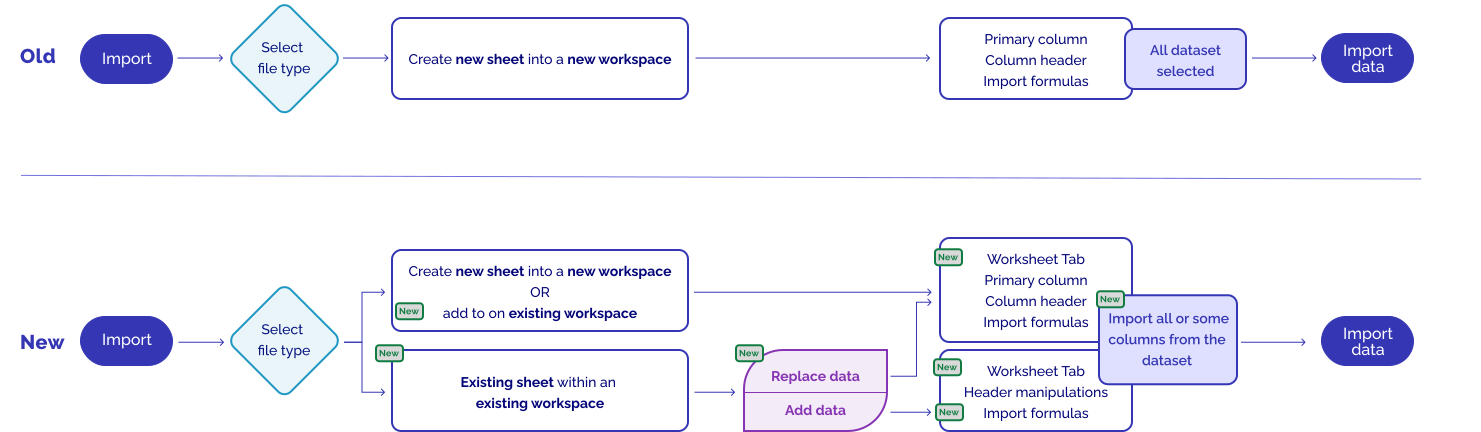
The old import component cannot bring data directly into an existing sheet. Instead, each import automatically creates a new sheet and workspace, with no option to import into an existing sheet. Since assets cannot currently be moved between workspaces, users quickly face fragmented experience that is difficult to manage.


The legacy import also had its own challenges: outdated design, hard to scan and no options to customize the dataset import.
Problem we are solving
Increase discoverability
  • Surface one-time import options where users need them most, by retaining the existing entry point and adding a new one from the workspace.
Reduce workload
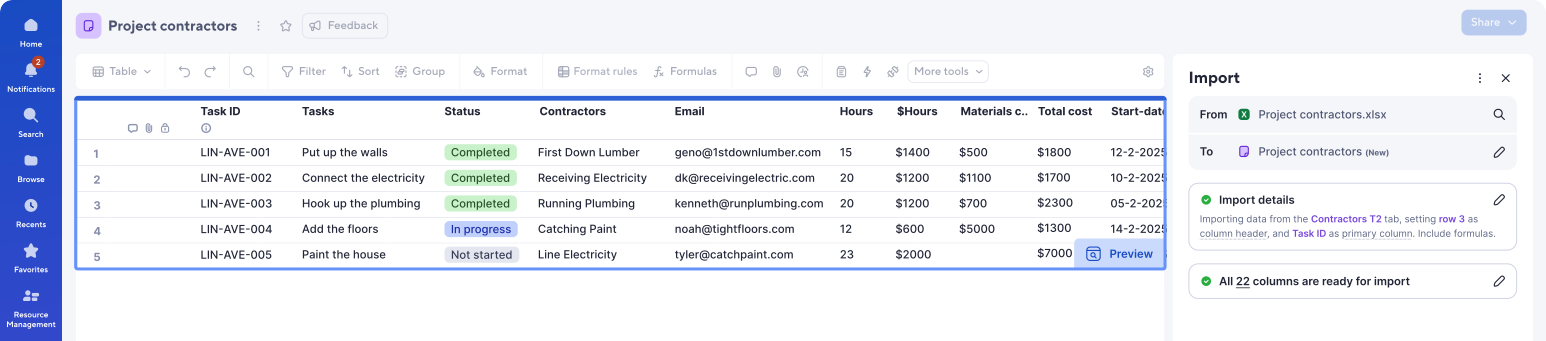
  • Minimize potential errors by letting users visualize how their data will appear in the sheet before importing.
  • Reduce cognitive load by simplifying language and offering AI-powered suggestions.
Respect user intent
  • Allow imports into both existing and new sheets, and workspaces avoiding dead ends.
  • Expand functionality for advanced users while keeping the process fast and easy for trial users, helping them experience value quickly without friction or confusion.
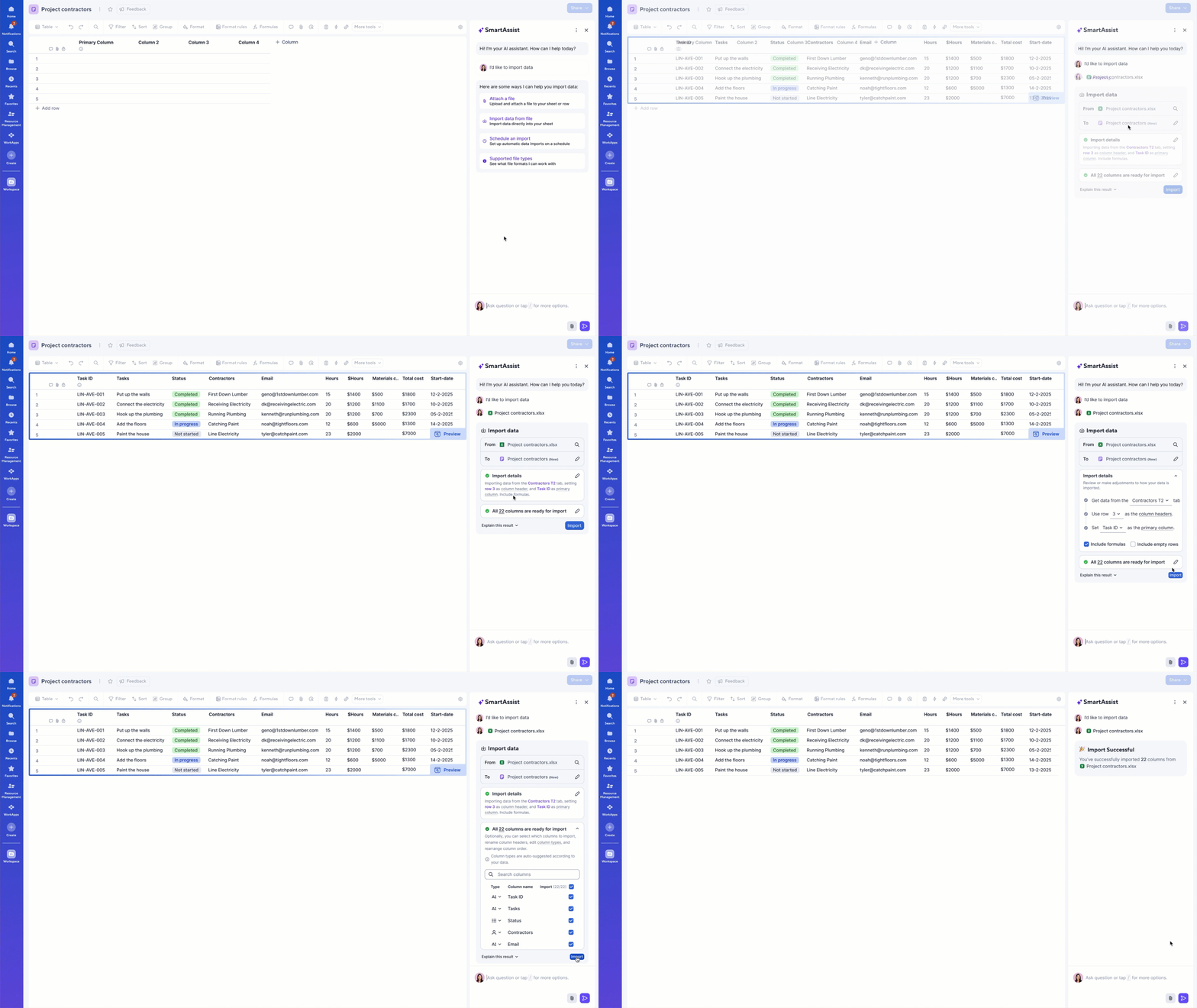
User flow
The improved journey
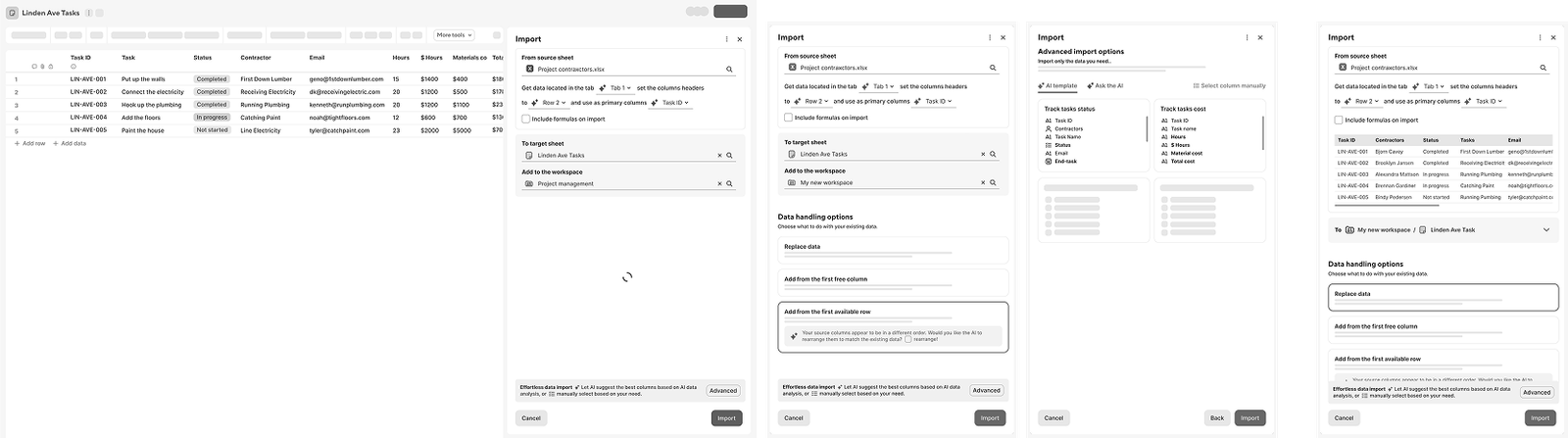
First low-fidelity design iteration & user testing

What didn’t:
  • Panel was too cluttered; users relied on data previews instead of settings
  • Overwhelming for simple import cases
  • Too many AI icons caused confusion
  • Users preferred manual control over AI-generated templates for column selection
What worked:
  • AI suggestions were appreciated by users
  • Sheet preview was strongly preferred over panel preview
  • Strong for handling complex imports
Entry points - triggers & behaviours
Discoverability
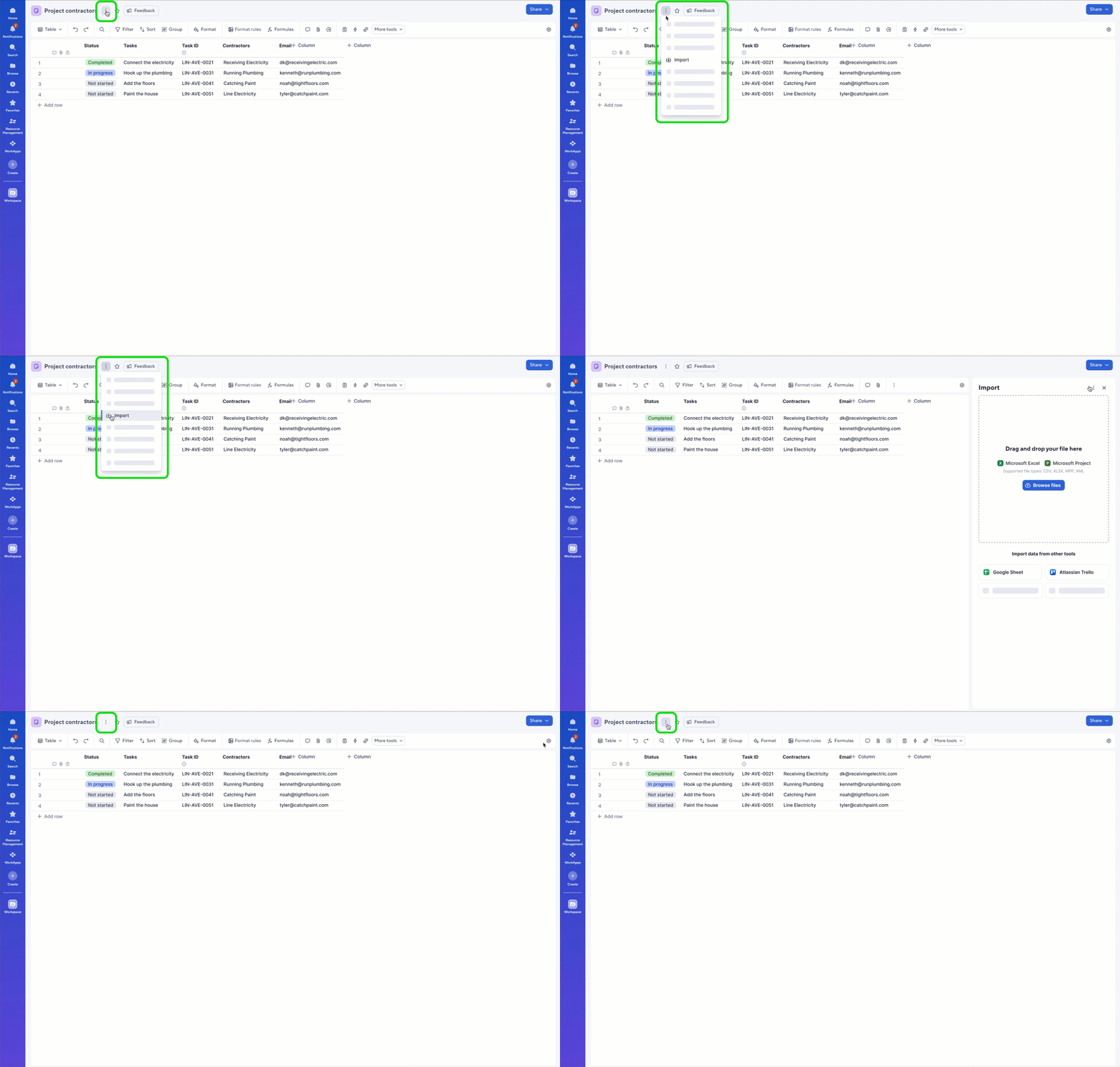
From the Sheet
- Include an entry in the kebab menu next to the sheet name.
- Default import into the existing sheet within the existing WS

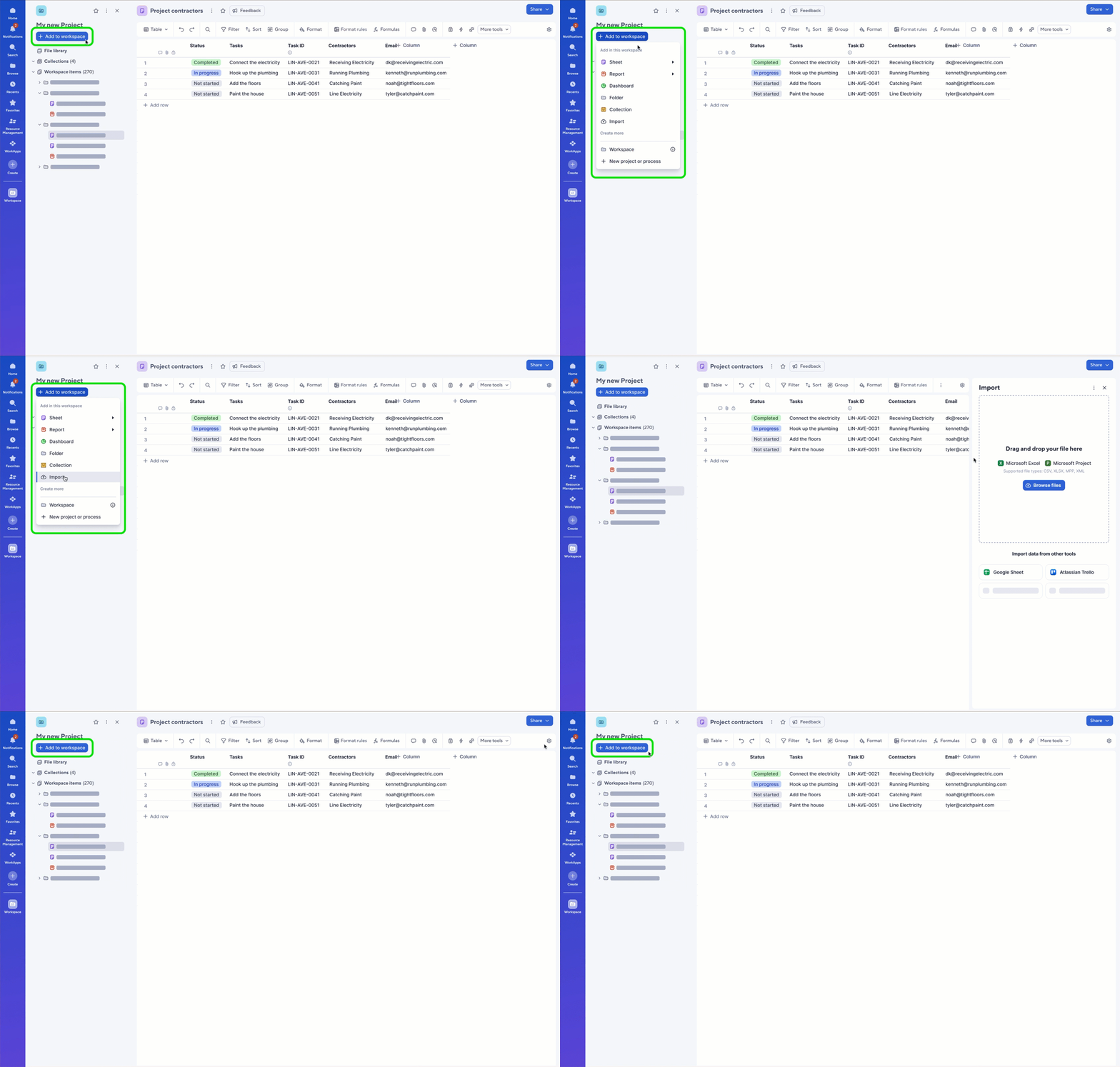
From the workspace
- Introduce an entry from the + Add to workspace button.
- Default import into a new sheet within the existing WS

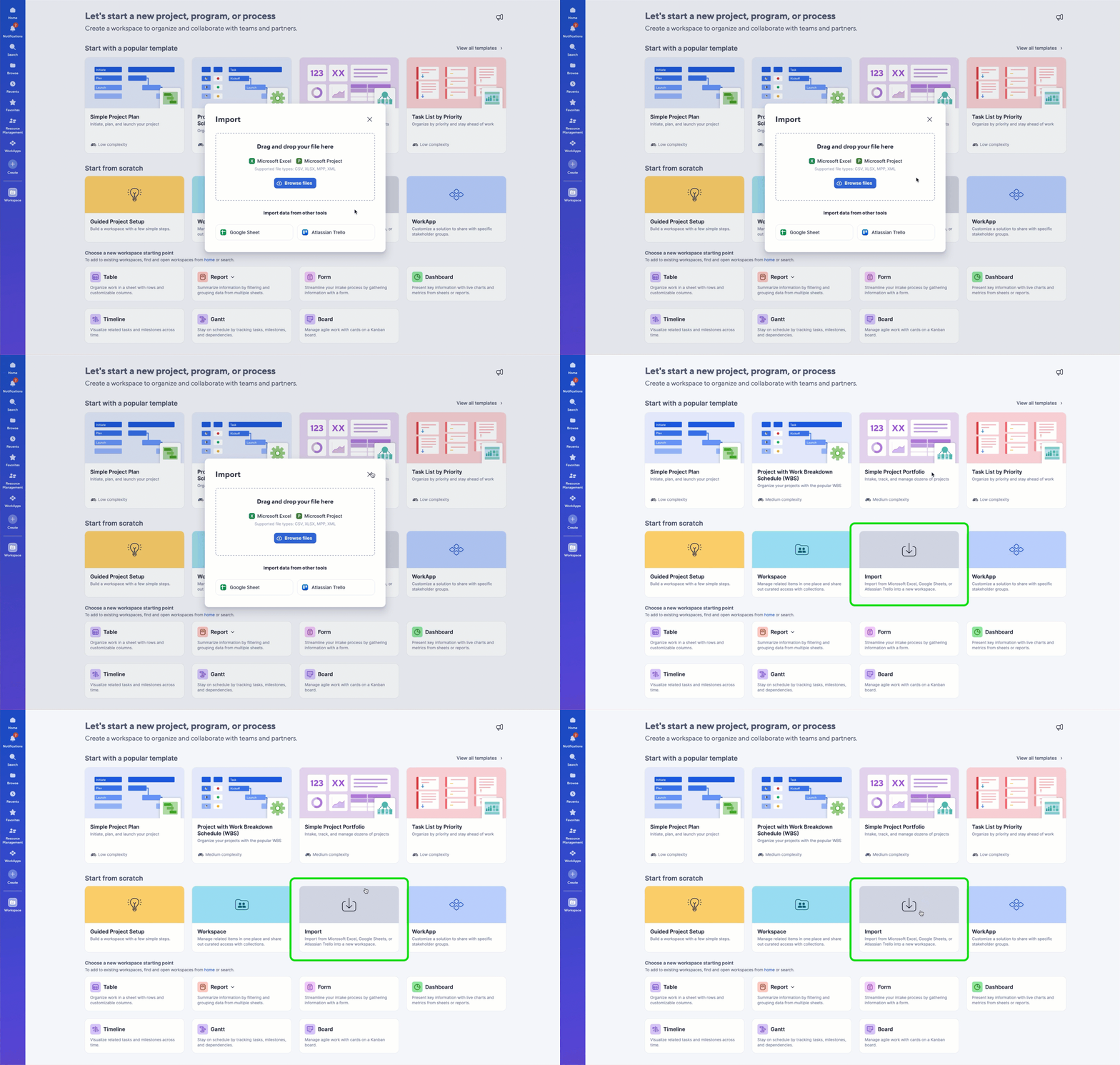
From global create
- Retain the existing entry located under the Start from Scratch section.
- Default import to a new sheet within a new WS

The import
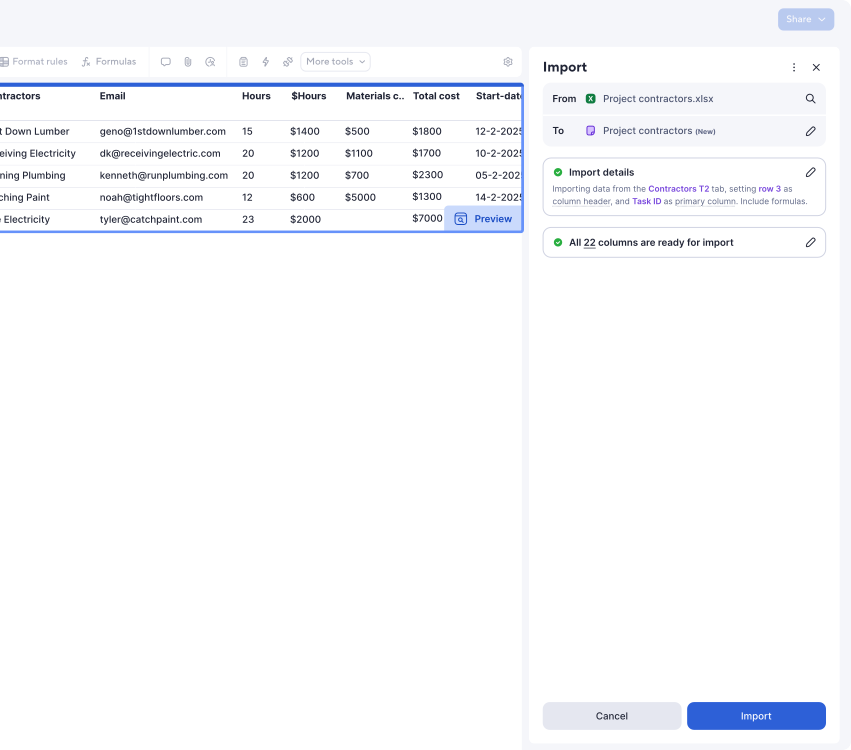
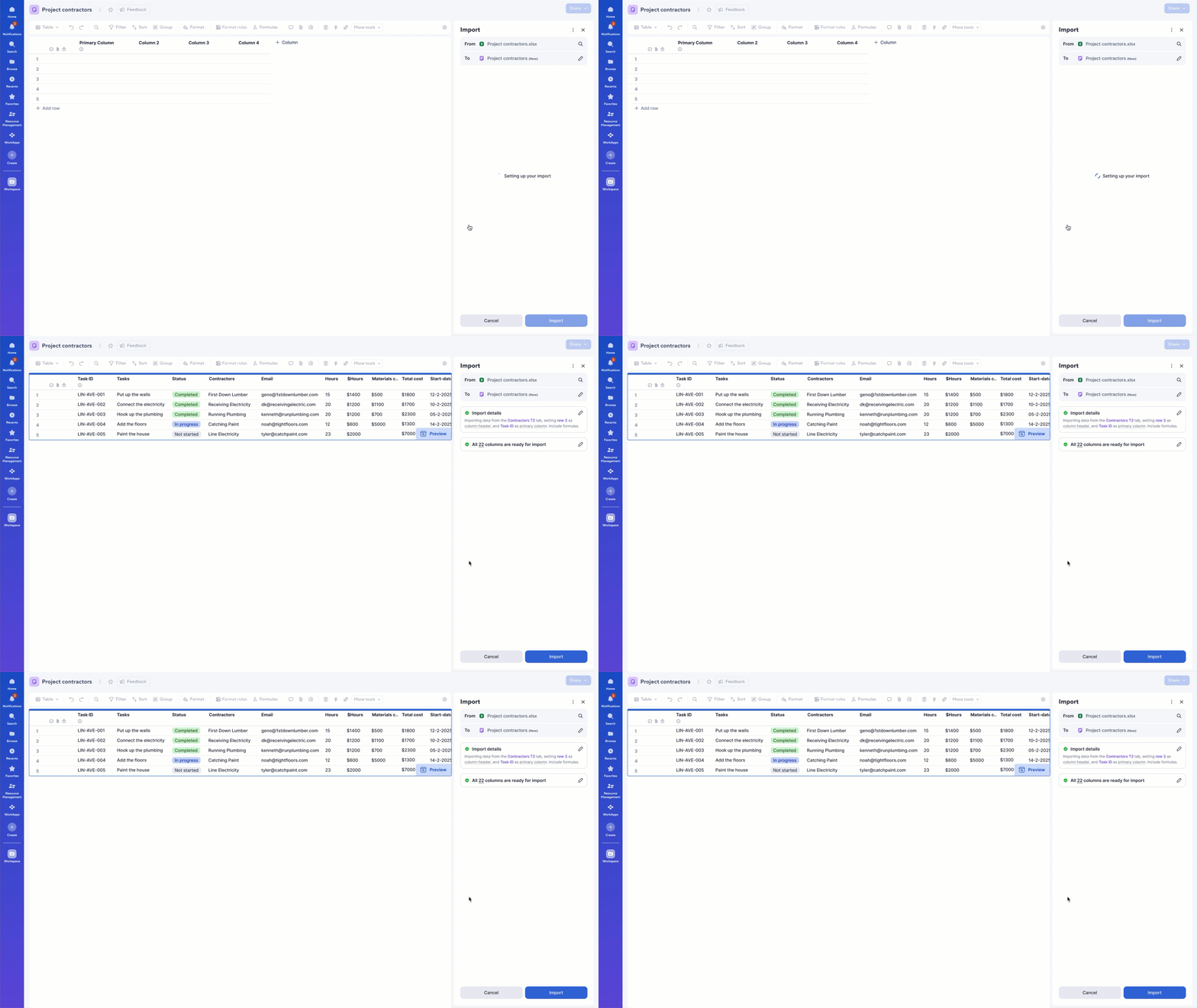
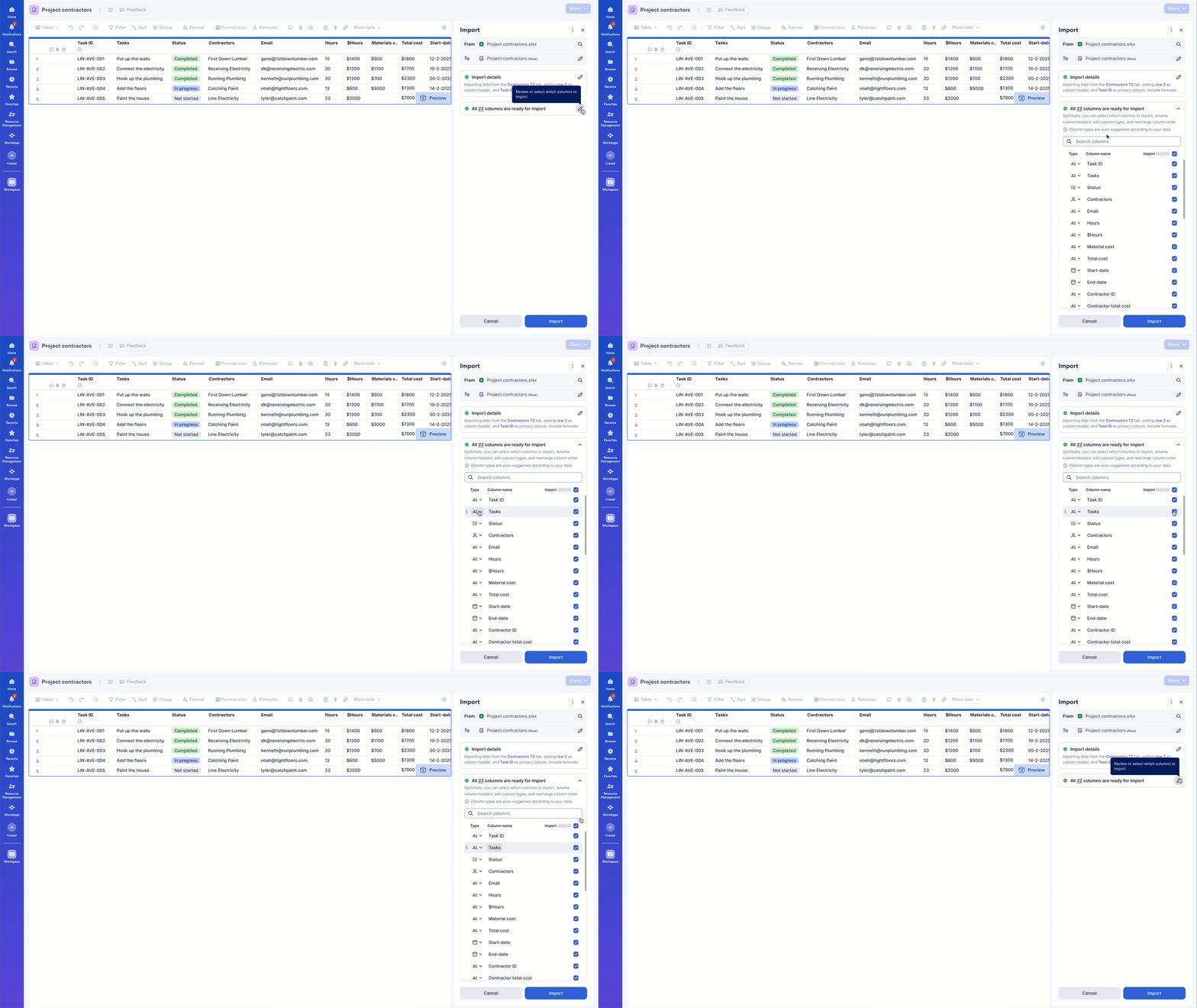
The new import flow follows three clear sections:

1 Import flow direction: What am I importing, and where is it going?
2 Summarize import details: AI-generated suggestions as default settings
3 Confirm all columns are ready to import

Review & Import!

This grouping reduces visual clutter and aligns with the Smartsheet mental model.
Behaviours
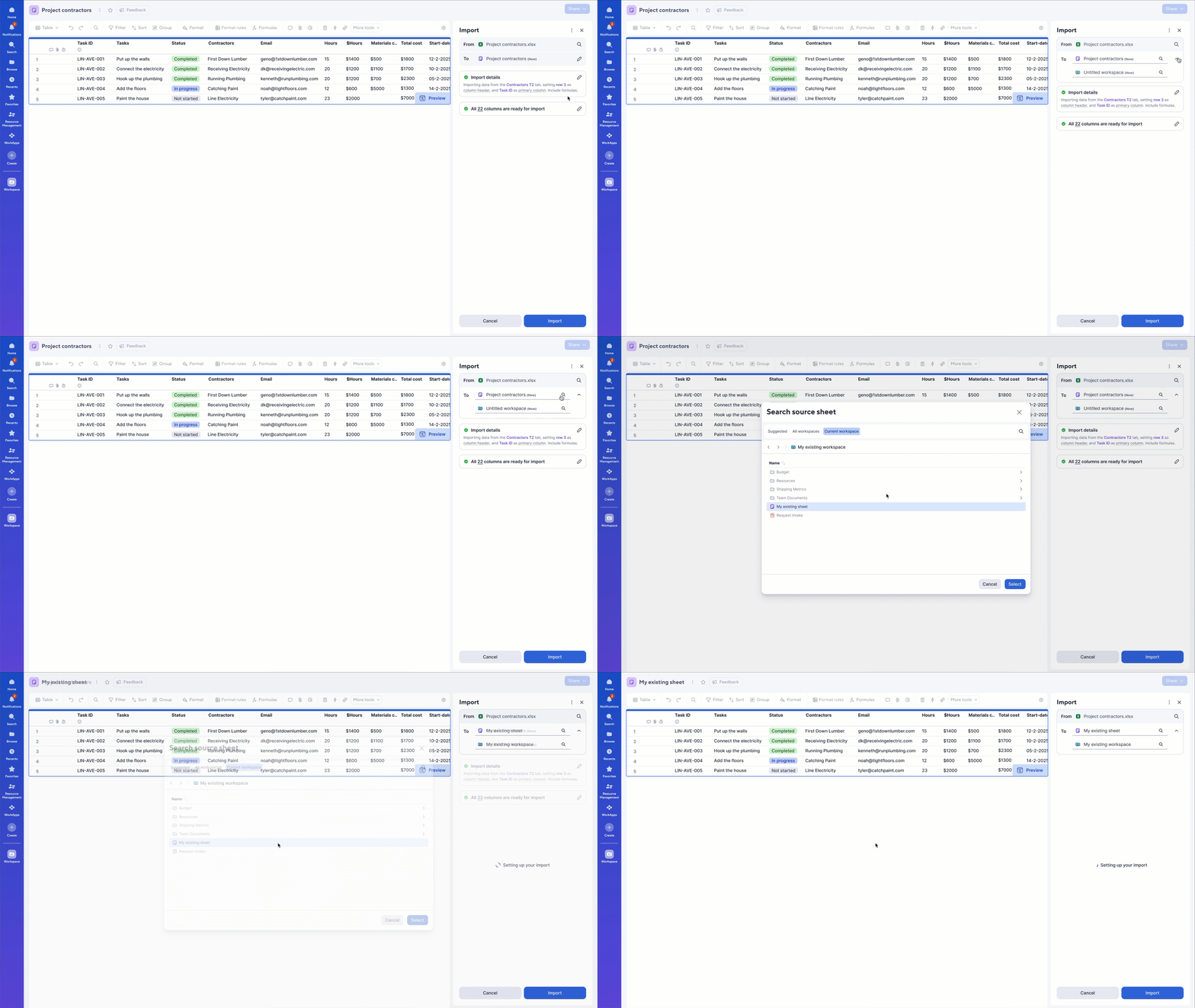
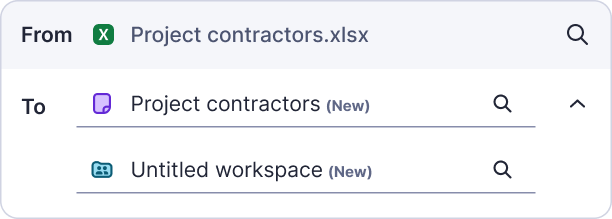
1. Data flow direction
Problem
Users could only import data into a new sheet and workspace, even when their intent was to update or extend existing work.

Solution
Introduce flexibility in the data flow direction by:
  • Allow users to select where the data should live
  • Support importing into existing sheets and workspaces
Behaviours
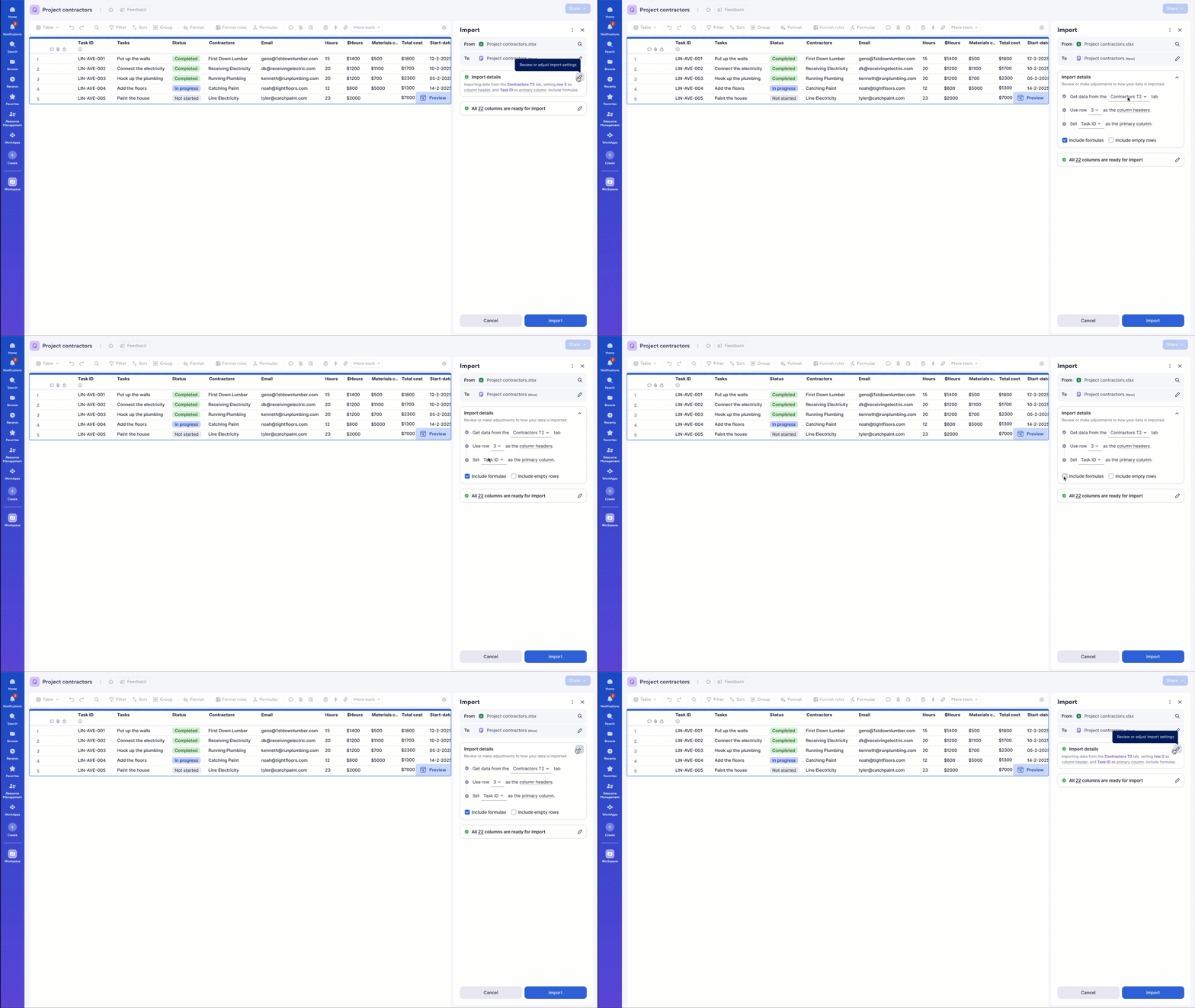
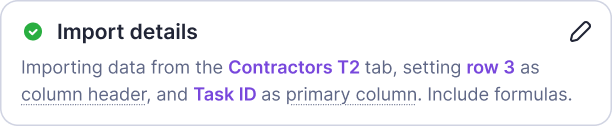
2. Import details
Problem
Users were required to manually configure key import settings, such as selecting the source tab, defining column headers, and choosing a primary column, without clear guidance. Many users were unsure what a primary column was or why it mattered.
  • The tab where the data lives
  • Column headers, the row to use in the sheet as column headers
  • Primary column, the column that contains unique values to allow users to send row updates and requests
  • Include formulas & empty rows

Solution
A simplified section summarising the default AI suggestions settings, designed to help interface the user automatically with Smartsheet mental model.
Behaviours
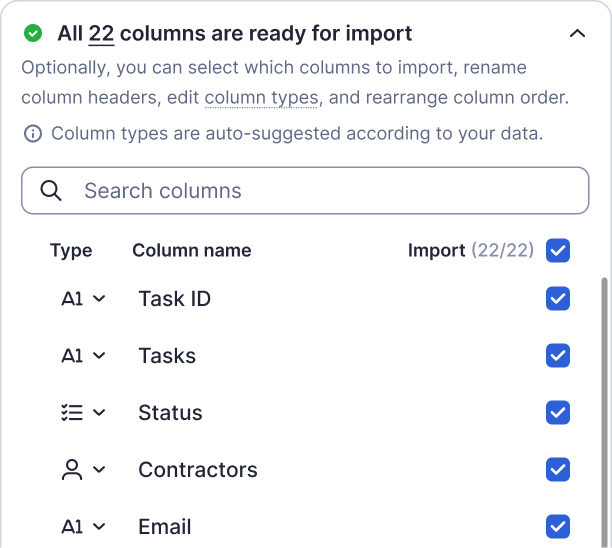
3. Columns ready to import
Problem
Previously, users could only import the entire dataset and had no option to define column types during import. This forced users to fix column types manually after the data was already in the sheet.

Solutions
Allows users more flexibility during import, by including the ability to:
  • Select only the columns that the user wants to import
  • Edit AI-suggested column types
  • Rename columns
  • Sort column order
This reduces cleanup work and increases trust in the import outcome.
Behaviours
Import to new VS existing sheet
We offer full flexibility to decide where to import and what to do with the data by replacing or adding data to existing sheets.


New sheet
Import data
New sheet
Import and add data
New sheet
Import and replace data
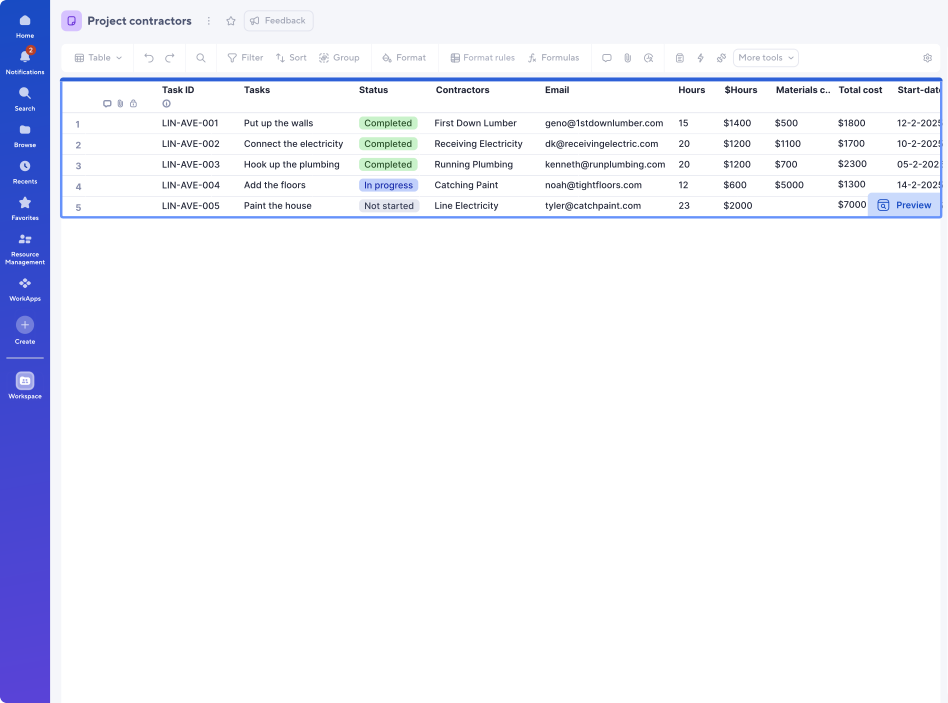
Live data preview
We’ve introduced a simple data preview during the import process for:
New sheet and
existing sheet set to replace data


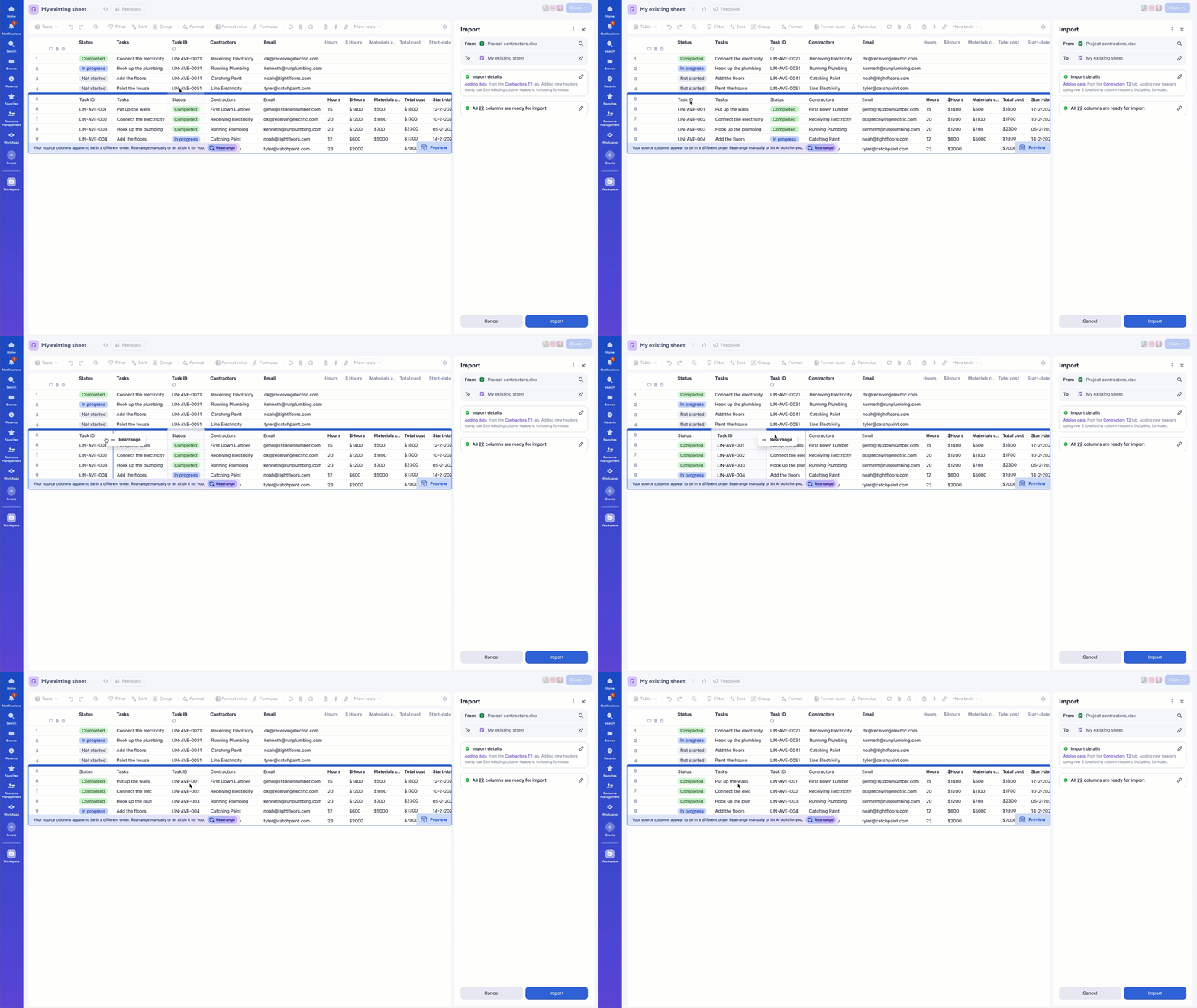
Advanced data preview to ensure the data aligns with the existing structure, we offer the option to manually rearrange columns in the preview or use AI to automate the process.
Existing sheet set to add data
AI
SmartAssist
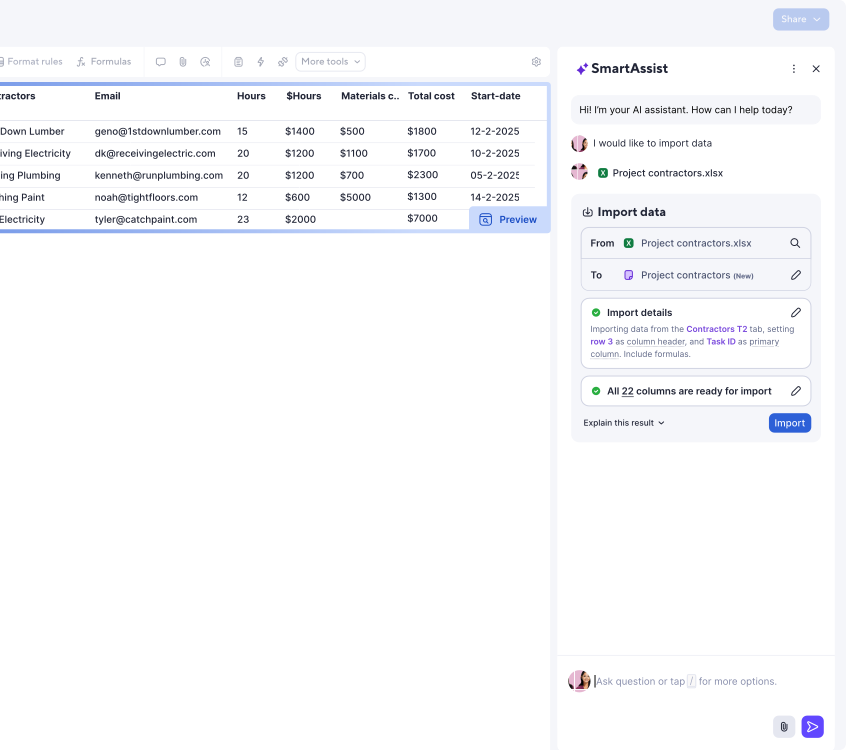
SmartAssist provides a guided import experience for moments when users are not sure what to do next.

With just a few prompts, users can describe what they want to accomplish.

SmartAssist interprets their intent and generates a main import summary widget, aligned with the same design and mental model as the standard import flow.

Users can simply review the suggested setup and click “Import”, or make adjustments directly within the widget if needed.
Challenges
Design a modular flow, allowing
behaviors to be delivered incrementally
from MVP to the full experience.
A cleaner experience that
reduces cognitive load.
Few-click import aligned with
the Smartsheet mental model,
with no manual setup and
advanced options for power users.
Define behaviours to ensure that
other shared users do not edit
the sheet during the import
Impact
Users have improved control
over where content is imported.
Users learn 3× faster and complete
imports 2 minutes quicker.
Increase import usage by 5×
among trial and new users.
Users gain precise
control over imports
(select only desired columns)
Thanks for watching!
Happy to tell you more,
Francesco Blotta

.